
Error 3505 indicates issue with 5paisa API setup in APIBridge. If you want to trade in other Broker API, contact your admin.
To trade with 5paisa API using the APIBridge desktop application, follow the steps given below. IMPORTANT: Use API details given below, APIBridge works only with them. This API is approved by 5paisa for higher rate limits and longer session time out which is essential for uninterrupted trading.
STEP 1: In APIBridge go to Application Settings->API. Put details as below:
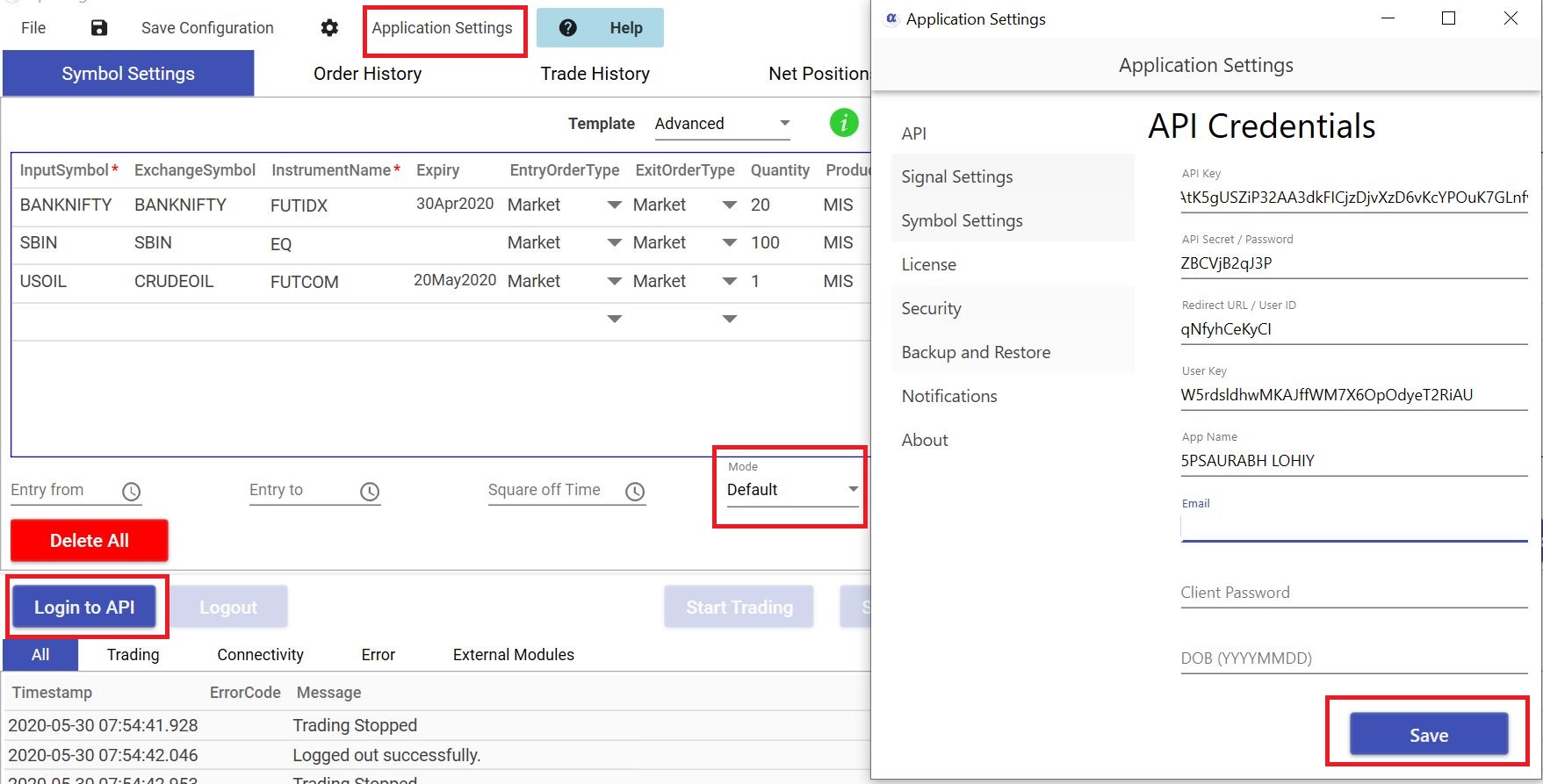
API Key FAtK5gUSZiP32AA3dkFICjzDjvXzD6vKcYPOuK7GLnfvdvk8smoTES8q6BcC2gUf
API secret ZBCVjB2qJ3P
Redirect qNfyhCeKyCI
User Key W5rdsldhwMKAJffWM7X6OpOdyeT2RiAU
App Name 5PSAURABH LOHIY
Email: Your 5paisa account email
Password: Your 5paisa account password
DOB: Your 5paisa account registered Date of Birth
STEP 2: Save application settings. Keep mode Default and Login to API.
You will see message in APIBridge – successfully logged in to 5paisa API
| Feature | Details |
| Cost | Free |
| Auto Order Cancellation | YES |
| MaxProfit/MaxLoss | YES |
| SLL, SLM Orders | YES |
| CO | NO |
| BO | NO |
| Trail SL in BO | NO |
| MCX Futures | YES |
| NSE Currency | YES |
| NSE Weekly Options | NO |
Recent Discussion