
Error 3515 indicates issue with IIFL API setup in APIBridge. If you want to trade in other Broker API, contact your admin.
NOTE: To trade with IIFL API using the APIBridge desktop application, there are two APIs available to integrate with, Open API and XTS.
Follow the following steps for IIFL Open API:
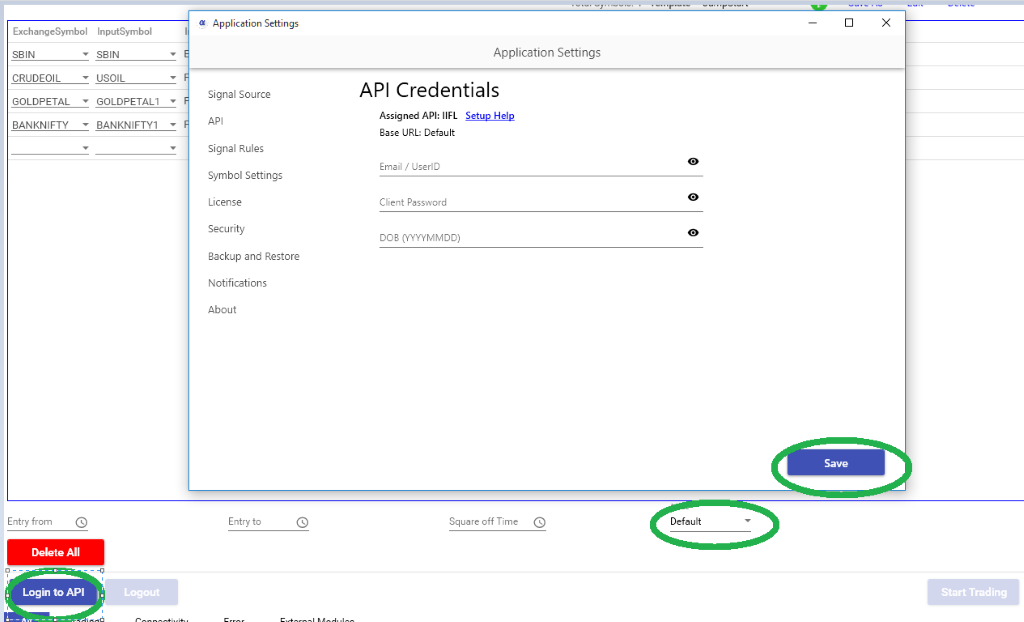
STEP 1: In APIBridge go to Application Settings->API. Put details as below:
User ID: Your IIFL account client ID
Password: Your IIFL account login password
DOB: Your DOB
STEP 2: Save application settings. Keep mode Default and Login to API. APIBridge will show message – Login Successful to API.
| Feature | Details |
| Cost | Free |
| Auto Order Cancellation | YES |
| MaxProfit/MaxLoss | YES |
| SLL, SLM Orders | YES |
| CO | YES |
| BO | YES |
| Trail SL in BO | YES |
| MCX Futures | YES |
| NSE Currency | YES |
| NSE Weekly Options | YES |
Follow the following steps for IIFL XTS API:
XTS API is commonly used among multiple brokers. You can identify the broker assigned in your APIBridge license, by checking the base url.
| IIFL | https://ttblaze.iifl.com |
XTS Credentials for Login via APIBridge
STEP 1: In APIBridge go to Application Settings->API. Put details as below:
API Key: 6 Digit Pin
Password: Your broker account password
User ID: Your broker account ID
Security Answer: Enter any random number
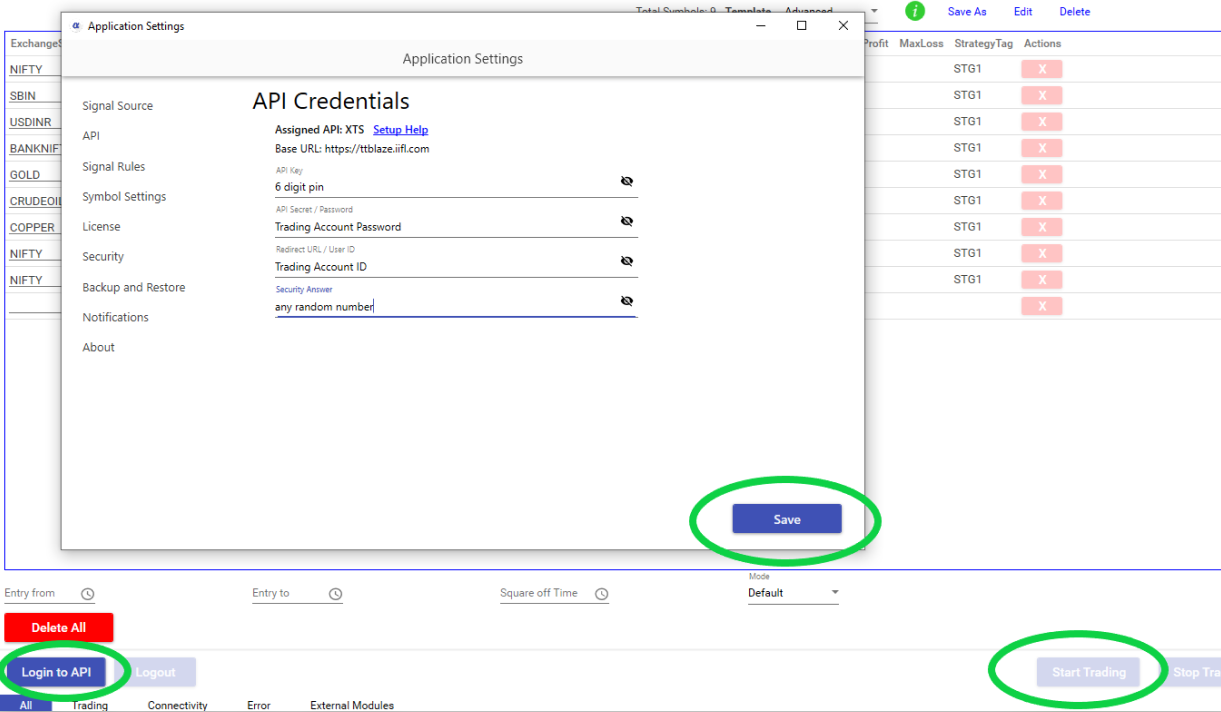
STEP 2: Save application settings. Keep mode Default and Login to API. If Credentials are correct, Bridge will display message – Login successful to API
XTS API Features
| Feature | Details |
| Cost | Depends on Broker |
| Auto Order Cancellation | YES |
| MaxProfit/MaxLoss | YES |
| SLL, SLM Orders | YES |
| CO | YES |
| BO | YES |
| Trail SL in BO | NO |
| MCX Futures | YES |
| NSE Currency | YES |
| NSE Weekly Options | YES |
Recent Discussion