
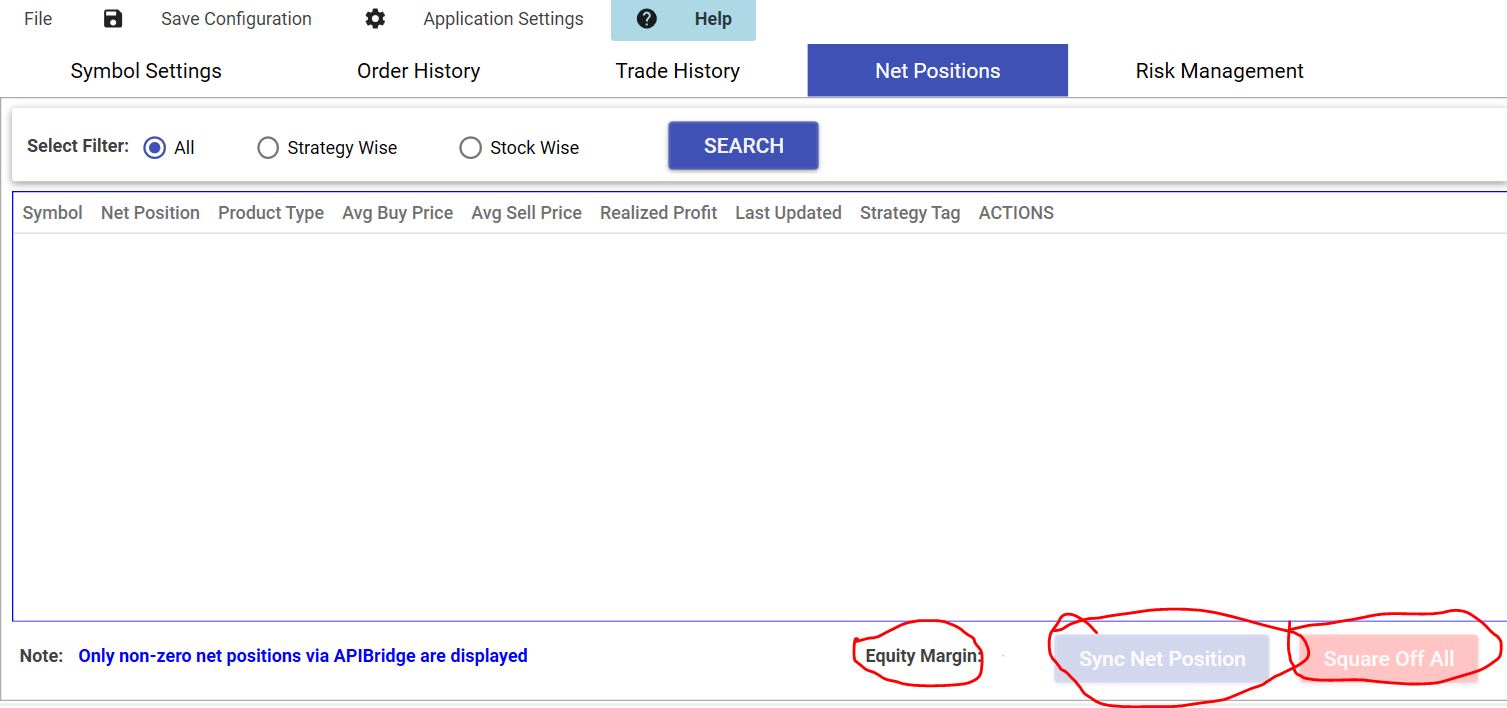
The Net Positions tab shows all Net Positions created via orders placed only from Bridge. The Bridge maintains in your local computer the Net Positions, based on order status returned from API.
This tab also shows your Equity Margin, as returned from the Broker API.
Your NetPositions in Bridge may not match your actual NetPositions which you see in the Broker terminal. This can happen because of two reasons:
- Bridge did not receive an update on order status from API. Since there is no information on whether the order was completed or not, the NetPosition could not be updated. Check API Errors for details
- You placed trades outside the bridge (through broker terminal or other means).
Sync Net Position:
This button syncs all net positions with your broker terminal. If your net positions are not displayed correctly because of any reason from above, you can use the sync net position button to update your positions. Please note that Sync Net Position does not work with multiple strategies in the same symbol.
Square off Selected:
It is a panic button that squares off all or selected positions and stops receiving any new signals.
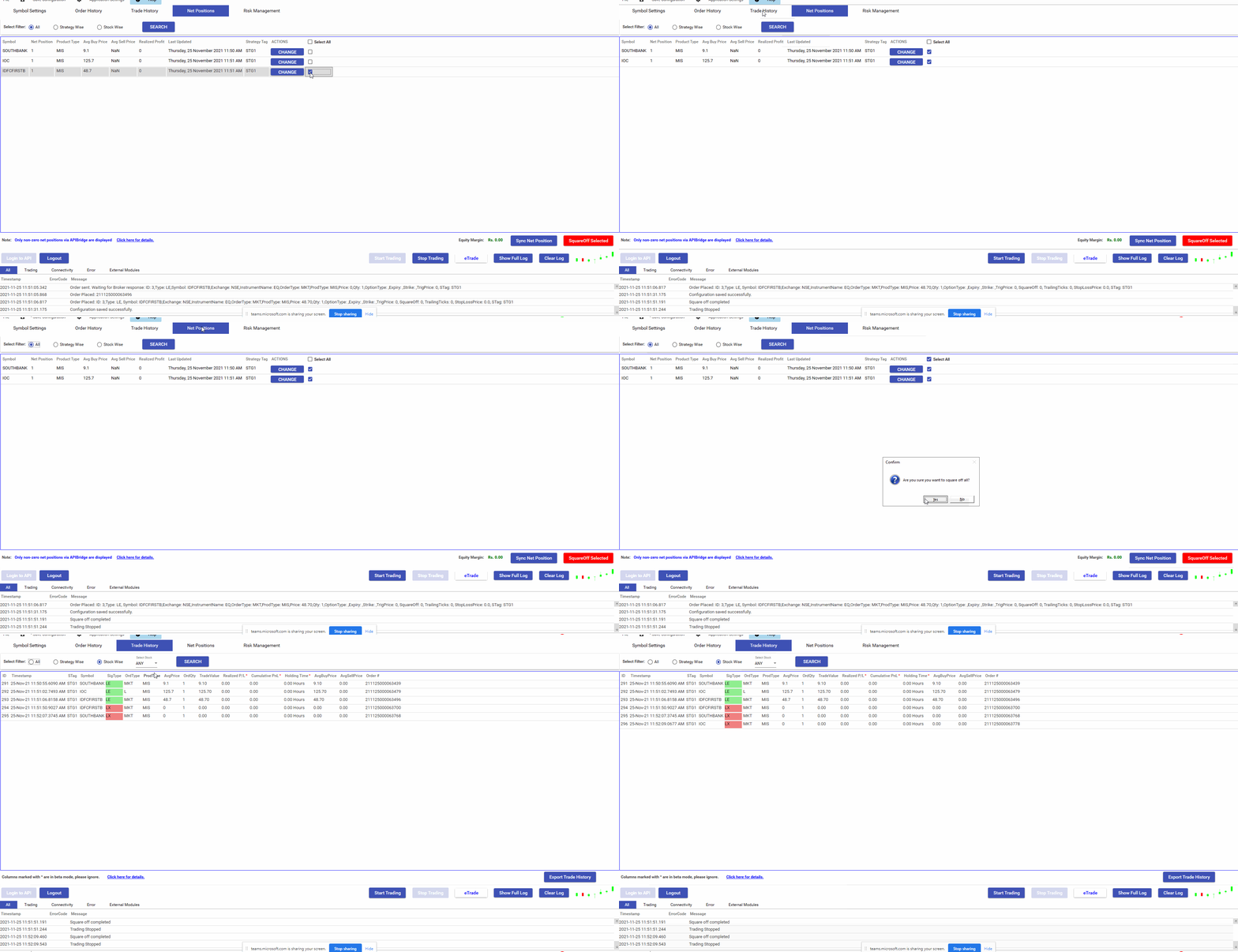
To square off selected positions: Go to Net positions tab–>tick the positions that you want to square off –> Click on “SquareOff Selected” button.
To square off all positions: Go to Net positions tab–>tick on “Select All” –> Click on “SquareOff Selected” button.
It may also cancel all Open Orders based on Signal Settings
EDIT :
When you have an actual net position, you will also find an Edit button with each net position. This can be used to manually change the net position. You can add positions of any type – LE/LX/SE/SX to current net positions to edit it.
NOTE ON PAPER TRADING
All orders get filled in Paper Trading. If you are sending Price in order, it will be considered as traded price. If 0/null price is sent in Signal, then it will show 0 prices. PnL in trade history also depends on order price; so it may show wrong values. This is the biggest difference in Paper vs Live trading. Because in live trading, the Price/PnL calculations are taken based on actual values given by Broker API. You are advised to use only Limit Orders in paper trading with valid price in Signal also.
Recent Discussion