
Last Update: 26-07-2021
We are excited to release the latest version 2.4.x for Profitmart users. Major changes include – using a installer version instead of regular portable, default multi-instance available and more stability.
Detailed Installation Steps:
- Backup and Remove your existing setup – inside your existing APIBridge folder, copy the folder named “data” and move it to somewhere safe. The data folder contains templates folders that have settings for each of your templates. Now, delete both the APIBridge folder and its desktop icon.
- Download from here and install. Two shortcuts will get installed on your Desktop- APIBridge Launcher and APIBridge Multi-Instance Launcher.
- Restore Settings: Login once using “APIBridge Launcher” on your desktop, and then close it before restoring settings. Go to Program Files ->APIBridge. Here, you will see a folder by your username. Inside that, you will find “data” folder and then templates folders. Replace only existing template folders from your backup data folder.
- If you are a single user, use the APIBridge Launcher.
- If you want to trade in multiple accounts, log in with each account once from the APIBridge Launcher and then run the Multi-Instance Launcher, it will open all the users at once.
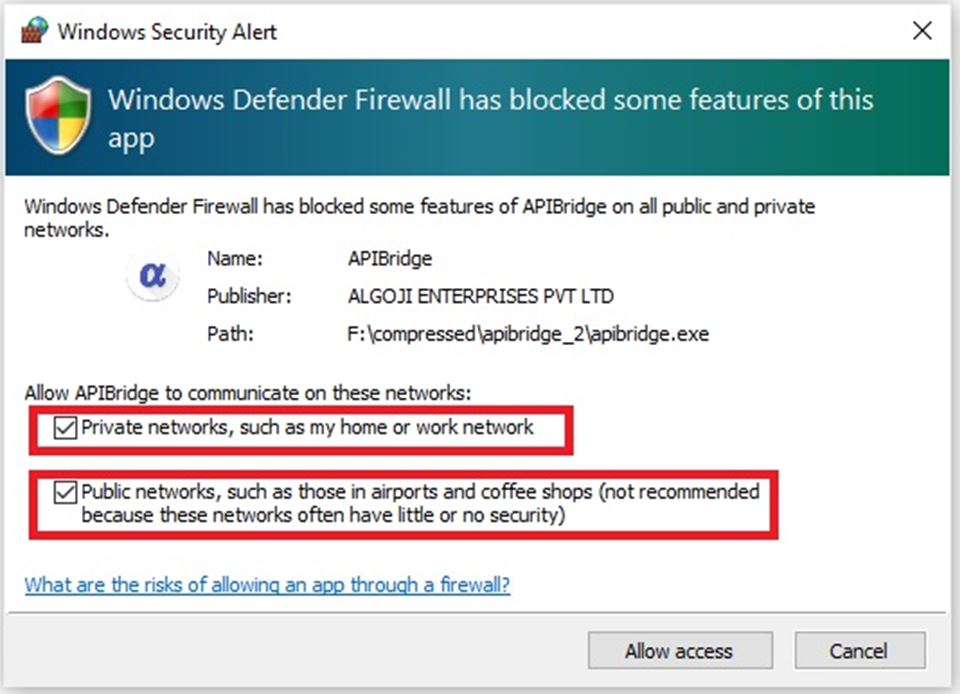
- During the first run, it will ask for Firewall permissions. Make sure to allow as the given screenshot below.
- Login with your ID and Password. If you do not have login credentials or they are not working, you can get fresh from here.
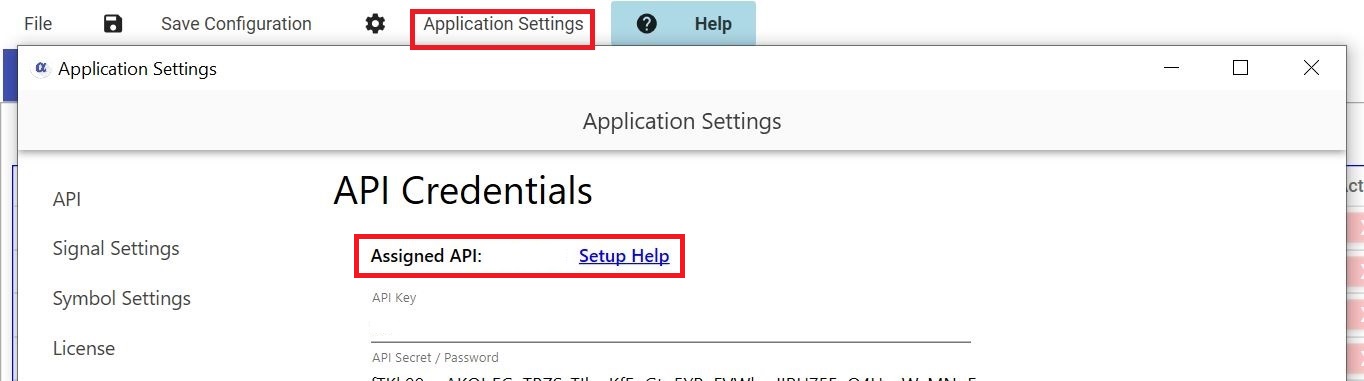
- After login, click from the top menu Application Settings. Under the API tab, you will see the assigned API and Setup Help. Click on Setup Help for your broker-specific API instructions. If you do not have API credentials, you can still start Paper Trading.
- APIBridge installation is now complete! however, if you want to connect with Excel, TradingView, MT4, or Amibroker, continue to the jump start section.
First Run – Allow Through Firewall. See more details on firewall setup here.
After login, click from the top menu Application Settings. Under the API tab, you will see the assigned API and Setup Help. Click on Setup Help for your broker-specific API instructions. If you do not have API credentials, you can still start Paper Trading.
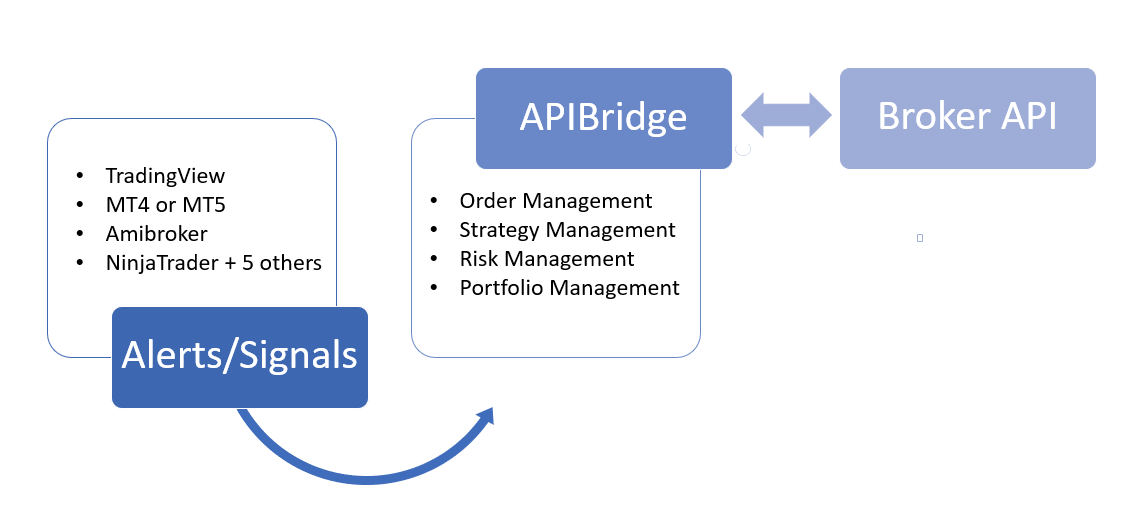
APIBridge allows you to control every aspect of algo management, we wish you happy trading ahead!
Recent Discussion