
3317 Indicates that Instrument Name in Symbol Settings does not match with Instrument reveived in signal from thrid-party-application. See solution below fror TradingView, MT4 and Amibroker.
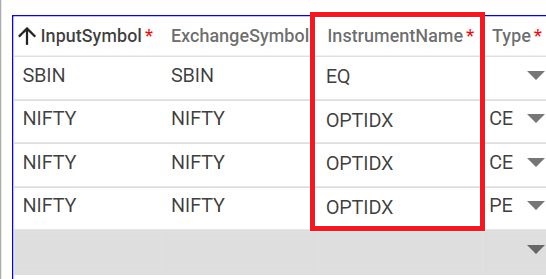
Solution for TradingView
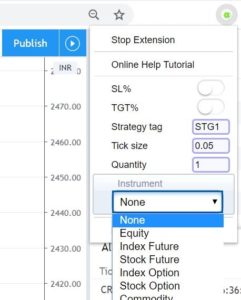
In usual case, your each input symbol will be unique for instrument. You can send blank/null instrument from Chrome Extension Settings. Or it can be define in alert description as INS:FUTIDX. Supported tag are (EQ|FUTIDX|FUTSTK|OPTIDX|OPTSTK|FUTCOM|FUTCUR).
Solution for Amibroker
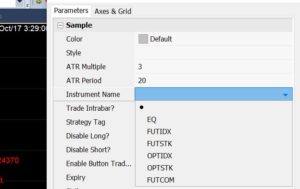
In usual case, your each input symbol will be unique for instrument. You can send blank/null instrument from Amibroker AFL parameters.
Solution for MT4
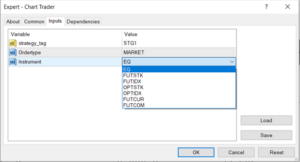
In usual case, your each input symbol will be unique for instrument. You can send blank/null instrument from MT4 EA parameters.
📍 Trading in Warangal?
We provide custom strategy coding for all charting tools. Discover APIBridge® in Warangal →
We provide custom strategy coding for all charting tools. Discover APIBridge® in Warangal →
Recent Discussion