
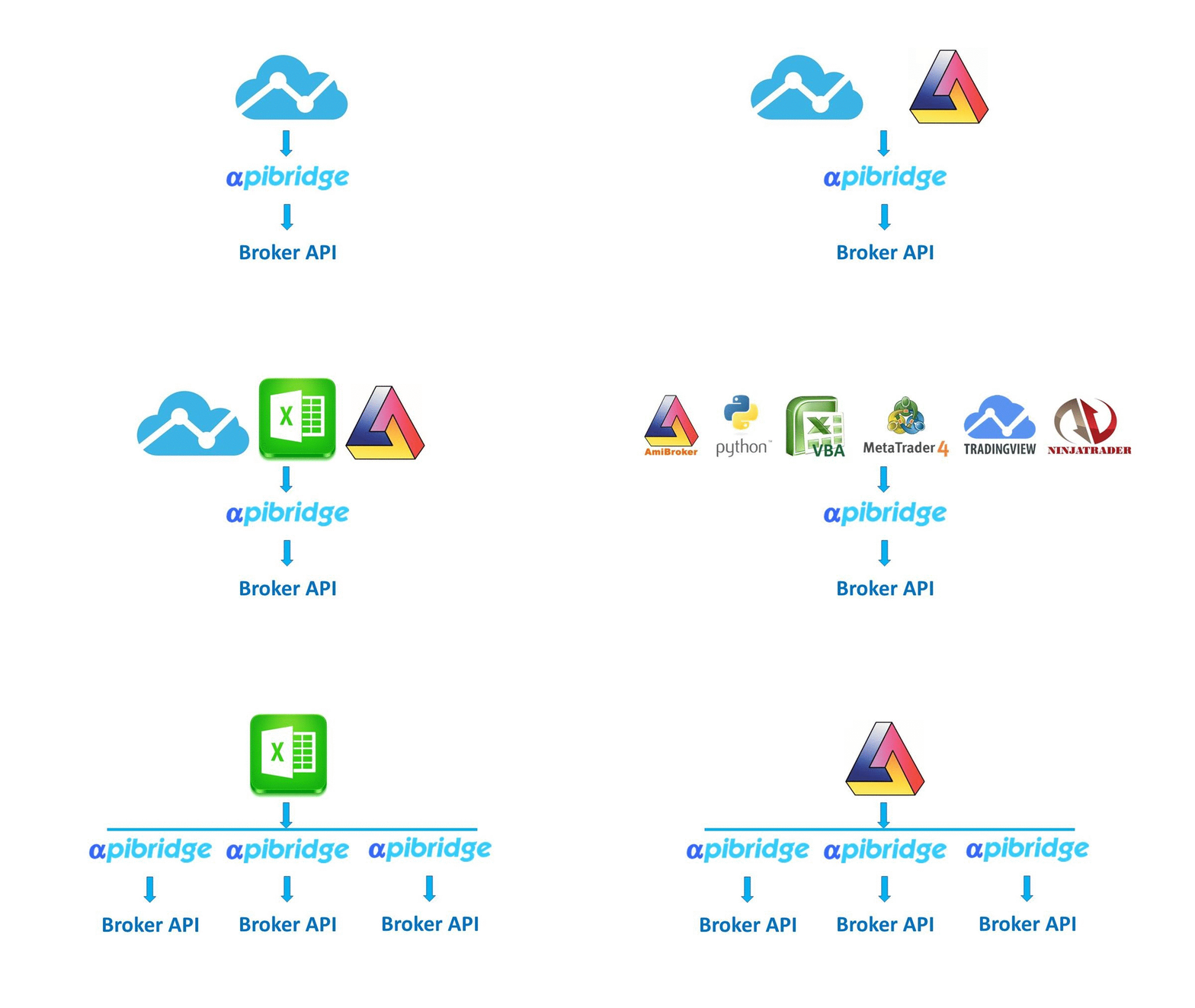
You can connect multiple platforms to your APIBridge to trade from multiple platforms at the same time. Or you can connect single platform with multiple APIBridge accounts. APIBridge offers you ultimate flexibility and power for trading. This topic is written only for advanced users of APIBridge, who are already familiar with most features.
You should use different strategy tags for signals from different source/platforms. Multi-strategy settings are given here.
To connect multiple platforms, note that their connection process below:
Advisor Signals: can be sent via your Admin only (from where you downloaded/purchased APIBridge). You can uncheck the Advisor box to stop receiving calls from your admin. Trading on advisor calls can be done at the same time while connecting with any other source. Just remember to use different strategy tags from other sources then those assigned by your admin. You can see your advisor strategy tags under license details.
Webhook Signals: See here how to setup TradingView Webhooks. The Webhooks Signals are independent like Advisor Signals and can be used with any other platform.
Local PC: TradingView Chrome Extension, Amibroker, MT4, NinjaTrader, Connector app and other platforms connect only via Local PC. It means these platforms should be running on the same computer on which you have APIBridge.
Chrome Extension: The extension used for TradingView blocks connection with any other platform on your local computer. You should remove the extension and use webhooks only if you want to trade with other platforms. Alternatively, you can change the default port being used with Extension.
Other Local PC platforms can connect at the same time with APIBridge for sending Signals.
Multiple Accounts Setup: You can also connect same platform with different APIBridge accounts, see settings below:
TradingView: https://kb.mycoder.pro/apibridge/tradingview-algo-multi-account-setup/
MT4 https://kb.mycoder.pro/apibridge/how-to-trade-in-multiple-client-accounts-using-mt4/
Excel https://kb.mycoder.pro/apibridge/excel-trading-with-multiple-instances/
Amibroker https://kb.mycoder.pro/apibridge/how-to-trade-in-multiple-accounts-using-multiple-instance/
Recent Discussion